
When to Convert Images to WebP — and When to Keep JPG or PNG
Discover when converting to WebP provides practical file size advantages, how modern browser support works, and when keeping JPG or PNG is still the better choice.
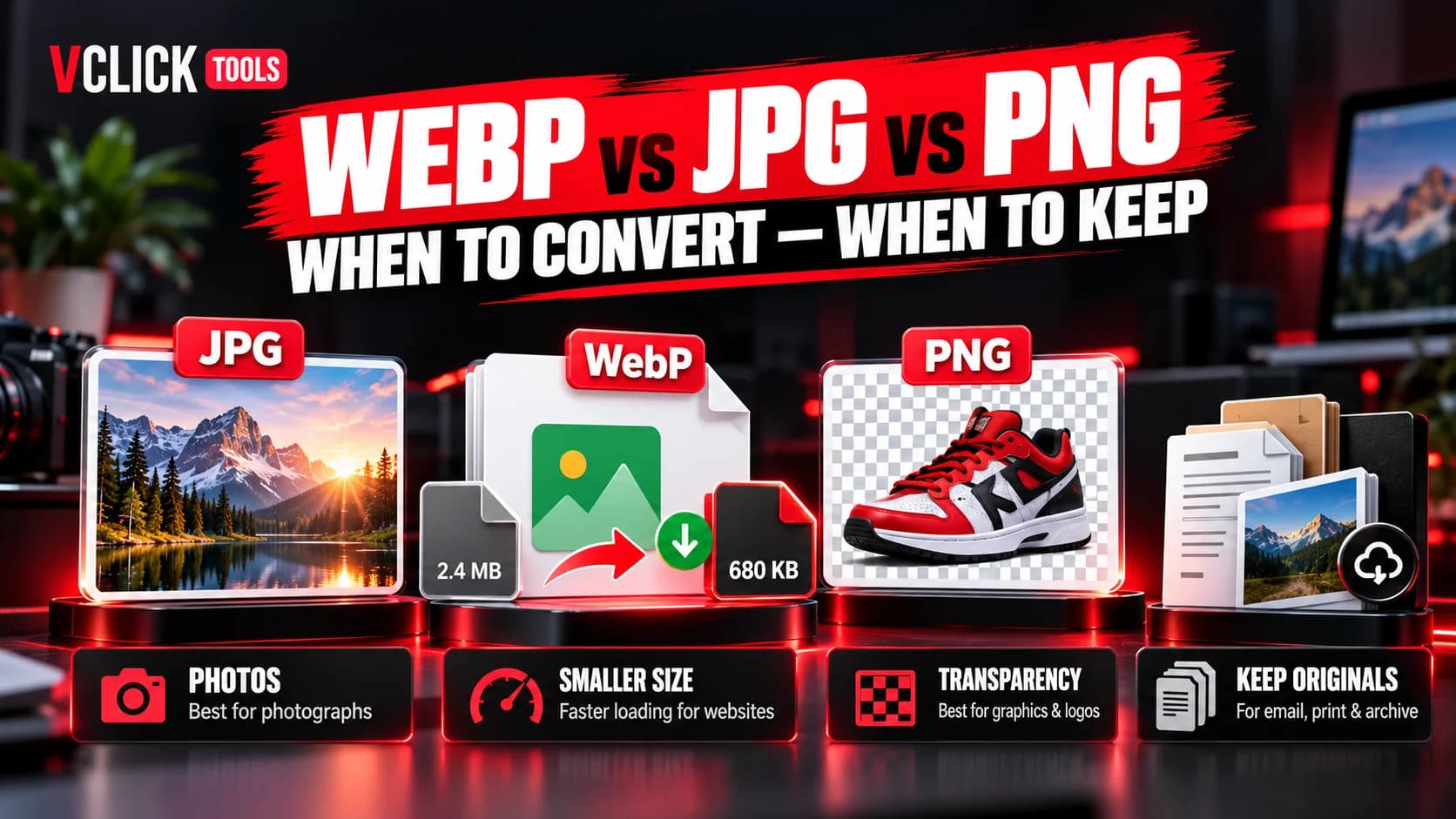
Over the past decade, web technology has evolved rapidly to meet the demands of mobile devices and high-resolution displays. Among the most significant advancements in web media is the WebP format, developed to modernize graphic delivery on the internet. Where web developers once had to choose between lossy JPGs for photos and heavy PNGs for transparent graphics, WebP provides a single format capable of handling both continuous-tone photography and transparent illustrations.
However, the growing popularity of WebP has led some web publishers to assume that every single image file should immediately and automatically be converted. In practice, image formats are specialized tools. Understanding the architectural strengths of WebP—as well as the specific scenarios where traditional JPG or PNG remains preferable—ensures you make informed, practical decisions for your website.
What WebP Actually Is and How It Compresses Graphics
WebP is an open modern container format introduced by Google that incorporates compression techniques originally developed for the VP8 video codec. Unlike older formats that use a single fixed compression approach, WebP supports two distinct compression algorithms inside the same file specification:
- Lossy WebP: Employs predictive spatial coding. The encoder predicts the color values of neighboring pixel blocks based on adjacent blocks and encodes only the mathematical difference (residual). This predictive approach compresses continuous photographic gradients with fewer visible artifacts than standard discrete cosine transform (DCT) JPG encoding.
- Lossless WebP: Employs advanced color space transformations, local entropy coding, and dictionary-based referencing to compress graphics without discarding a single pixel.
The Core Strengths of WebP for Everyday Web Publishing
For modern web publishing, WebP offers three major practical advantages over legacy image formats:
- Efficient Photographic Weight: When encoding photographic imagery, WebP frequently achieves a lower byte count than a standard JPG of comparable visual clarity.
- Transparent Graphics Without Massive Weight: In traditional web publishing, adding a transparent background required saving the image as a 24-bit PNG. PNG files are lossless and often carry substantial file size. WebP supports alpha transparency in both lossy and lossless modes, allowing transparent product cutouts to load much faster.
- Consolidated Asset Pipelines: Because WebP handles photos, transparent logos, and multi-frame animations, development teams can streamline media pipelines rather than managing separate encoding rules for three different formats.
When Converting JPG Photos to WebP Makes the Most Sense
Converting existing JPG photography to WebP is especially beneficial in high-traffic web environments where bandwidth consumption and mobile rendering speed are top priorities:
- E-Commerce Catalog Galleries: Product catalog pages displaying dozens of photographic products benefit substantially from the reduced byte weight of WebP.
- Blog Editorial Headers & Illustrations: Feature images and article headers load smoothly across cellular connections without requiring visitors to download multi-megabyte payloads.
- Full-Width Hero Backgrounds: Large banner images spanning 1920 pixels wide can be delivered with crisp visual fidelity while keeping total transfer weight within reasonable boundaries.
You can use the browser-based VClick Tools JPG to WebP Converter to convert individual photos or batches locally on your device.
When Converting PNG Graphics to WebP Saves Bandwidth
One of the most dramatic optimizations WebP unlocks is converting heavy transparent PNGs. Consider a common web scenario: an e-commerce shop displaying photos of shoes or electronics with the background removed so the product floats over dynamic site themes.
In standard PNG-24, each photo might weigh 800 KB to 1.5 MB because PNG preserves every pixel losslessly. By converting that asset using our PNG to WebP Converter with lossy alpha enabled, you can preserve the transparent background while reducing file size by 60% to 80% without noticeable degradation of the product subject.
When You Should Keep Original JPG or PNG Files
Despite WebP's impressive capabilities, there are several practical situations where keeping JPG or PNG is the superior choice:
- Archival Master Copies: Never delete your high-resolution original source files. Re-compressing an existing WebP file in the future compounds generation loss. Always archive original RAW, high-quality JPG, or layered PNG masters.
- Cross-Platform Email Campaigns: While web browsers uniformly support WebP, certain desktop email clients (such as older enterprise versions of Microsoft Outlook) still struggle to render WebP inline graphics reliably. Using JPG or PNG for HTML newsletter templates avoids broken image placeholders.
- Print & Offline Workflows: Print production houses, desktop publishing software, and legacy operating systems often lack native WebP drag-and-drop support. If clients or press operators need to download assets for print, deliver standard JPGs or PDFs.
- Already Ultra-Compressed Small JPGs: If a small thumbnail is already compressed down to 12 KB in JPG, re-encoding it into WebP rarely yields meaningful savings and can occasionally introduce slight re-compression blur.
Modern Browser Support and Legacy Compatibility Considerations
Browser support for WebP is effectively universal today. Modern versions of Safari (since macOS Big Sur and iOS 14), Google Chrome, Mozilla Firefox, Microsoft Edge, and mobile browsers decode WebP natively without polyfills or JavaScript libraries.
For modern web applications built on frameworks like Next.js, WebP can be served confidently as the primary production format. When broad backward compatibility with decades-old legacy browsers is strictly required, the standard HTML5 <picture> element provides an elegant fallback pattern:
<picture>
  <source srcset="banner.webp" type="image/webp" />
  <img src="banner.jpg" alt="Optimized website banner" />
</picture>
Browsers that understand WebP will fetch the lighter modern file, while any legacy browser gracefully falls back to the standard JPG.
Converting Images Locally with VClick WebP Converters
When you need to prepare graphics for web publication, you can perform format conversions quickly without installing command-line tools or uploading sensitive assets to cloud conversion APIs. VClick Tools provides dedicated browser-based converters:
- JPG to WebP Converter: Ideal for photos, banners, and editorial illustrations.
- PNG to WebP Converter: Ideal for transparent icons, product cutouts, and UI mockups.
- Image Format Converter: Universal utility to switch between JPG, PNG, and WebP containers.
- Image Compressor: Fine-tune compression quality sliders and inspect live file sizes.
Because all processing executes locally in your browser memory, your files are never exposed to remote third parties, ensuring strict confidentiality for private media.
Practical Decision Checklist: Should You Convert This File?
Before converting an image asset for website deployment, ask these four practical questions:
- Is this graphic intended for website display? If yes, WebP is almost always suitable and recommended.
- Does the asset require a transparent background? If yes, converting from PNG to WebP can provide dramatic file-size savings while preserving transparency.
- Will this file be sent via email or downloaded by offline print clients? If yes, provide a standard JPG or PNG to avoid compatibility confusion.
- Are you keeping the original uncompressed file in your archive? Always retain your high-fidelity master copy for future design revisions.
Convert JPG and JPEG images to PNG directly in your browser. Single or bulk conversion with zero server uploads.
Convert heavy PNG graphics to compressed JPG photos locally with custom quality and background matting.
Convert legacy JPG/JPEG images to next-gen WebP format locally with adjustable quality and bulk ZIP export.
Convert heavy PNG graphics and logos to lightweight WebP files while preserving full alpha transparency.
Frequently Asked Questions
Common editorial inquiries and technical answers.
VClick Tools Editorial Team
Editorial & Content Optimization TeamEditorial and research specialists creating actionable, privacy-first guides, search optimization workflows, and documentation for VClick Tools.